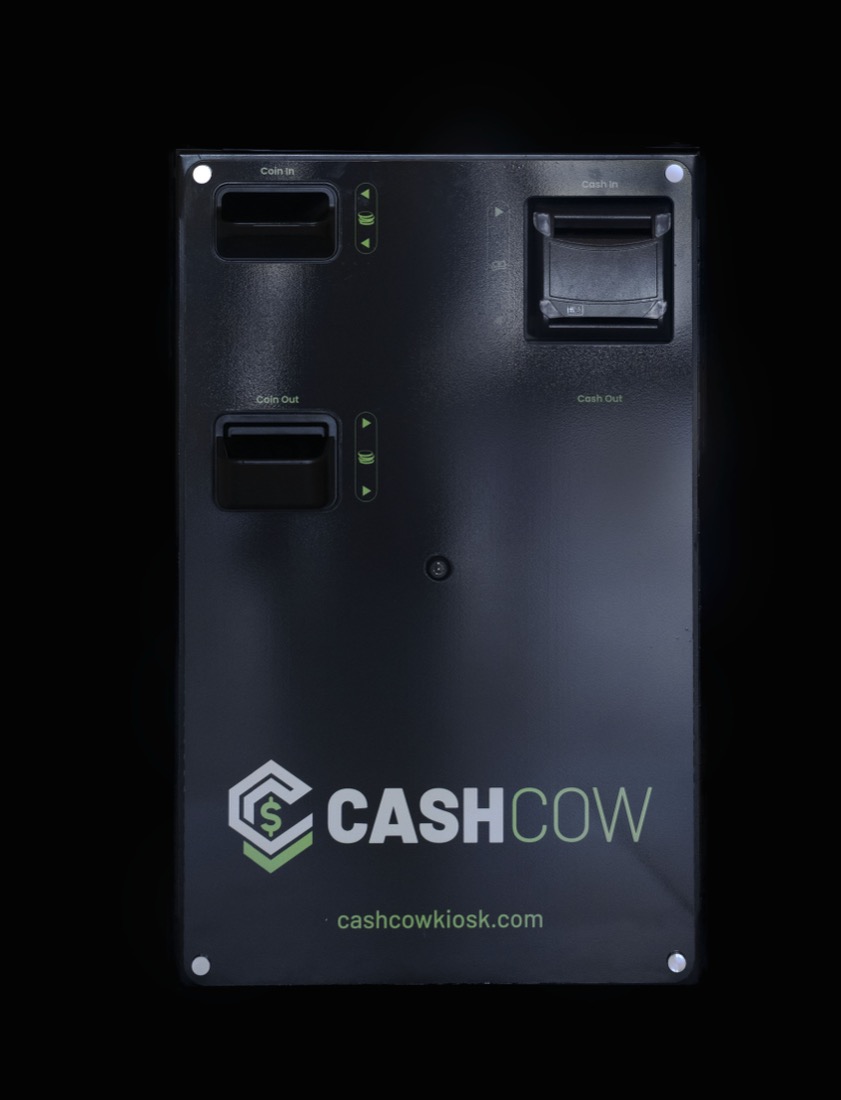
For retail and restaurants: automate the cash at a staffed counter, or connect CashCow to a self-service kiosk.
01 / CASHIER + EXISTING POSAssisted checkout
Keep your cashier. Lose the cash handling.
Your cashier rings up the transaction on your POS. The customer pays cash into CashCow below the counter, or pays by card or tap at your payment terminal.
Cash CashCowCard / tap terminal
CashCow counts and validates cash payments.
Exact change comes out automatically.
Your cashier focuses on service, without handling the cash.
Illustrative configurations. POS, kiosk, and payment-terminal compatibility, hardware placement, and rollout requirements are confirmed for your deployment.
04 / FULL VISIBILITY
Every location. In the picture.
Secure hardware meets connected software. See transaction activity and cash positions across your locations without waiting for a drawer count.
Transaction-level tracking
Follow cash activity by employee and time.
Centralized visibility
Bring multi-location cash reporting into one view.
cashcow / overview
Your cash. In view.
ILLUSTRATIVE VIEW
Cash position$12,480.00
Cash transactions284
OPENCASH ACTIVITYCLOSE
Downtown$5,240.00
Westside$4,120.00
Northgate$3,120.00
Example data shown to illustrate centralized reporting.
WORKS WITH YOUR WORKFLOW
Keep your POS. Upgrade your cash.
CashCow can integrate with your existing point-of-sale system, connecting the sale you ring in to cash acceptance, automatic change, and transaction reporting.
Tell us your POS platform, version, and checkout setup. We'll confirm compatibility, integration requirements, and rollout scope for your business.
05 / THE UPSIDE
Do the math. Reclaim the time.
What could your team do with time back? Start with the cash tasks you handle today.
15 minutes3 hours
Assumes 365 operating days per year. Adjust inputs to your business. Estimate reflects the value of staff time that could be redirected; it is not guaranteed cash savings and excludes equipment, software, implementation, and service costs.
Show us your checkout, cash volumes, POS, and locations. We'll identify the right fit.
02 / CONNECT
Plan the integration.
Confirm hardware placement, software compatibility, security, and collection arrangements.
03 / LAUNCH
Get your team moving.
Coordinate installation, staff training, and a rollout built around your operation.
A FEW GOOD QUESTIONS
Good questions. Straight answers.
What exactly is a cash recycler?
It accepts cash payments and reuses available bills and coins to dispense change. CashCow combines this hardware with transaction reporting and POS connectivity to automate cash activity at checkout.
How is CashCow different from a smart safe?
A smart safe typically receives cash after it has been handled at a register. CashCow participates in the payment itself: accepting money, validating bills, dispensing change, and securing cash at the point of sale.
Can it work with a self-service kiosk?
Yes. With a compatible integration, customers can order at a kiosk and pay cash through CashCow. We'll review the kiosk, POS, and order flow with you before deployment.
Will it work with our existing POS?
CashCow can integrate with an existing POS, so your team can ring in sales through its familiar checkout system while CashCow handles cash payment and change. Share your platform, version, and configuration so we can confirm compatibility and integration requirements.
How much does it cost?
Purchase, lease, and multi-location options are available. Request a proposal for current equipment, software, service, and installation pricing tailored to your deployment.
How is cash collected?
Cash collection and banking workflows are planned for your deployment, including armored carrier options. Pickup cadence, carrier support, access controls, and deposit timing are confirmed as part of that plan.
LET’S TALK CASH AUTOMATION
Ready to cash in?
Let's find out what CashCow can do for your checkout, your team, and your bottom line.